Can AI Design Mobile Apps? An Honest Look at What It Can and Cannot Do
AI can generate real mobile app screens from a text prompt. Here is where it genuinely helps, where it falls short, and how to use it well.
TL;DR: Yes, AI can design mobile apps — it turns a plain-text description into finished-looking screens in seconds, and it's genuinely good at standard patterns, fast exploration, and staying consistent across many screens. It falls short on emotional tone, original interactions, edge cases, and strategic direction. The best results come from a workflow that uses AI for breadth and people for judgment.
Type a prompt like this into a modern AI design tool:
A habit-tracking app with a streak counter and a calendar view.
A few seconds later, you get back a set of mobile screens that actually look like an app. Not a wireframe. Not a mood board. Screens with a navigation bar, a sensible layout, and components a developer could read.
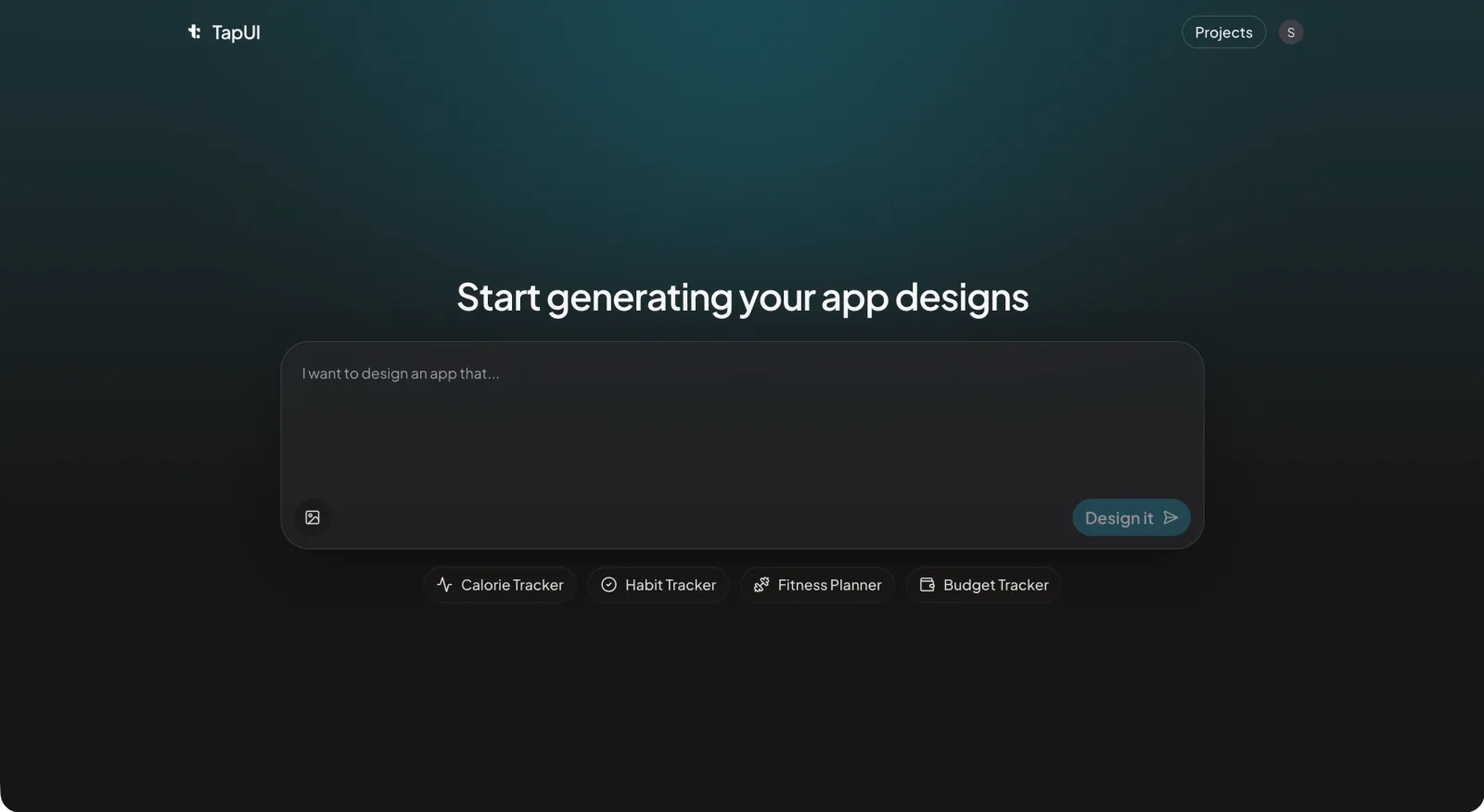 Describe the app you want in plain text and TapUI generates mobile screens you can react to.
So yes — AI can design mobile apps. The more useful question is which parts of designing an app it can do, and which parts still belong to a person. That line is sharper than most marketing pages admit, and it's worth getting it right before you bet a project on it.
I work on a tool in this space (TapUI), so treat me as biased toward the upside. I've also watched enough generated screens fall apart on the unglamorous parts of a product to be honest about the ceiling.
What "AI designs the app" actually means
When someone says an AI designed their app, they mean one specific thing: it produced finished-looking UI screens from a plain-language description. You write what the app should do; the tool returns layouts, components, and a visual style applied consistently across them.
That's a real capability and it's genuinely new compared to a couple of years ago. The gap between "I have an idea" and "I have something on screen I can react to" has collapsed from days to minutes.
What it does not automatically mean:
- It does not mean the tool understood your users, your market, or why your app should exist.
- It does not mean the output is the right design — only that it's a design, fast.
- It does not mean you skip the work of judgment. You've just moved that work later in the process.
Keep that framing and the rest of this gets easier to reason about.
Where AI is genuinely good
Getting past the blank canvas
AI removes the hardest part of early design almost entirely — describe the app and you have something concrete to push against within minutes. Reacting to a real layout is far easier than inventing one from nothing, and that changes how early design feels.
Instead of marrying one direction because starting over is expensive, you can generate a few takes on a screen, throw most of them away, and keep the parts that clicked. Cheap exploration tends to produce better final decisions, because you've actually seen the alternatives instead of imagining them.
Standard patterns, done competently
AI handles common app screens well because the conventions are well established, and matching them is a feature, not a failure. Sign-in, onboarding, a settings list, a profile, a feed, a checkout — these exist in thousands of apps, users carry mental models from every other app on their phone, and a login screen that behaves like a login screen is doing its job.
If a large share of your app is made of these familiar building blocks, AI will get you a long way before a human needs to step in.
Consistency across a lot of screens
This is one of the quieter wins. A tool applies the same rules to screen forty that it applied to screen one — human designers drift, spacing wanders, a third shade of blue sneaks in, type scales stop matching once a project gets big and deadlines get short. For a multi-screen app where coherence matters more than any single clever layout, that steadiness is worth a lot.
Something to hand to your developers
Concrete, consistent screens are far easier to build from than a described idea — they give engineers explicit layouts, components, and states to work against instead of a paragraph open to interpretation.
Be clear-eyed about what handoff means here, though: it's designs your team can build from, not a finished app. The further your product gets from common patterns, the more a developer and a designer will shape the result.
Where it falls short
It doesn't know how anything should feel
AI works from patterns, not feelings — it can't tell you whether a palette reads as trustworthy for a banking app or playful enough for a kids' game, because it has no sense of the emotional register you're aiming for. You bring that, every time.
Cultural context is a related blind spot. Color meanings, iconography, reading order, and interaction habits shift across regions, and a layout that lands in one market can quietly confuse users in another. That judgment is human work.
It remixes; it rarely invents
The interactions that define a category — the swipe, the ephemeral message, the endless vertical feed — came from people watching how users behave and taking a real swing. AI recombines what already exists. That makes it a strong starting point and a poor source of the one idea that sets you apart. If your goal is to lead a category rather than join it, the differentiation has to come from you.
It does the happy path; the edges are the work
Generated screens tend to assume everything goes right, and real apps live in the failures. The payment that times out, the empty state on day one, the error that needs to feel reassuring instead of alarming, the unusual accessibility or regulatory requirement — AI will produce these states when you explicitly ask for each one, but it rarely anticipates them. The handful of screens covering the weird cases often eat the majority of the design effort, and that's exactly where a person earns their keep.
It needs direction, and direction is a skill
Getting something different and right requires feeding the tool specific constraints, references, and taste — which is its own expertise. Requirements are messy; stakeholders contradict each other; research turns up conflicting needs; constraints force trade-offs. Tell an AI to "design a social app for professionals" and you'll get something that looks a lot like the obvious incumbent, because that's the center of gravity in its training. AI amplifies clear direction. It doesn't supply it.
A workflow that respects both
The teams I've seen get the most out of these tools don't treat it as AI or a designer. They sequence the two.
-
Start with AI for breadth. Generate several directions for your core screens. Mix elements across outputs. The goal isn't a final design — it's narrowing thousands of possibilities down to two or three worth taking seriously.
-
Switch to human judgment for direction. A person picks what fits the brand, notices what's missing, and designs the custom pieces that make the product specifically yours rather than generically fine. This is where a competent draft becomes a real product.
 In the editor, a person steers the generated screens toward what actually fits the brand.
-
Lean on AI again for breadth-of-coverage. Once the direction is set, use the tool to extend it across the full set of screens and keep everything consistent, then hand those designs to your developers to build.
-
Finish with human polish. Micro-interactions, motion, the edge cases the generator skipped, the small details that carry brand personality — this is the part that separates an app people tolerate from one they like.
The split is simple: AI is good at fast and consistent; people are good at right and distinctive. Build the process around that and you get the benefit of both.
A few myths worth puncturing
"AI will replace app designers." It changes the job more than it removes it. Less pixel-pushing on routine screens, more time on strategy, hard problems, and quality control. The designers who do well treat it as leverage, not a threat.
"AI-generated apps all look generic." They look generic when you ship the defaults without direction. The output reflects the input — strong creative guidance produces distinctive results; accepting the first draft produces forgettable ones. That's on the human, not the tool.
"AI design is just lower quality." It depends what you're measuring. For standard, convention-heavy screens, AI is often more consistent than rushed human work. For nuanced or original experiences, people win clearly. Neither is universally better.
"It can't handle anything complex." Complexity is harder, not impossible. The trick is decomposition — break a complicated product into smaller, well-defined pieces and give clear constraints for each. The tool struggles far less with ten focused requests than with one sprawling one.
When to reach for AI — and when not to
It's a strong fit when:
- You want to explore several directions quickly and cheaply.
- Your app leans on common, well-understood patterns.
- Consistency across many screens matters.
- You need something concrete to put in front of developers or stakeholders soon.
- You don't have dedicated design resources and need a credible starting point.
- You're validating an idea before committing real budget.
Lean on human designers when:
- Brand differentiation and emotional connection are the whole point.
- You're trying to invent something the category hasn't seen.
- The experience is dominated by edge cases and failure states.
- You're adapting across distinct cultural markets.
- Accessibility or regulatory requirements are unusual.
- The product needs genuine strategic direction, not just execution.
The honest bottom line
Can AI design mobile apps? For producing functional, consistent, good-looking screens fast — yes, convincingly, and it keeps getting better. For understanding people, inventing what doesn't exist yet, and making the hundred small judgment calls that turn a competent interface into a product worth using — not on its own.
The interesting work isn't choosing between AI and a designer. It's getting the handoff between them right: let the tool absorb the repetitive, pattern-heavy effort so the people involved can spend their attention where judgment actually changes the outcome. Teams that figure that out ship faster and waste less energy reinventing screens that were already solved.
FAQ
Can AI really design a full mobile app from a text prompt?
Yes, it can design the screens — describe the app in plain language and the tool returns finished-looking, consistent UI layouts you can react to. What it doesn't do is the strategy, user research, and edge-case work that turn a set of screens into a real, shippable product — those still belong to a person.
Does AI replace mobile app designers?
No — it changes the job more than it removes it. Less time pushing pixels on routine screens, more time on strategy, hard problems, and quality control. Designers who treat it as leverage get more done, not fewer of them.
Why do AI-generated app designs sometimes look generic?
They look generic when you ship the defaults without direction. The output reflects the input — vague prompts pull toward the obvious incumbent in the training data, while specific constraints, references, and taste produce distinctive results.
Can I hand AI-generated screens to my developers?
Yes. Concrete, consistent screens give engineers explicit layouts, components, and states to build from instead of a paragraph open to interpretation. Just remember it's designs to build from, not a finished app — the further you get from common patterns, the more your team will shape the result.
Does TapUI export native code like React Native or Swift?
No. TapUI generates mobile UI screens and lets you keep project history and export your designs — it does not generate React Native, Swift, or Flutter code. You hand the screens to developers, who build the app.
Want to see what this looks like in practice? Try TapUI — describe your app in plain text and get a set of mobile screens back to react to. There's a free tier to start with, and paid Starter and Pro plans when you need more.
Written by Saif Azeem, TapUI team. Last updated June 23, 2026.